Why Your Emails Are Landing in Spam (And How to Fix It)
You’ve spent hours researching, designing, and polishing the perfect newsletter. You hit send, lean back, and wait for the results....But unfortunately, it never made it to your subscribers' inboxes. It went straight to spam.
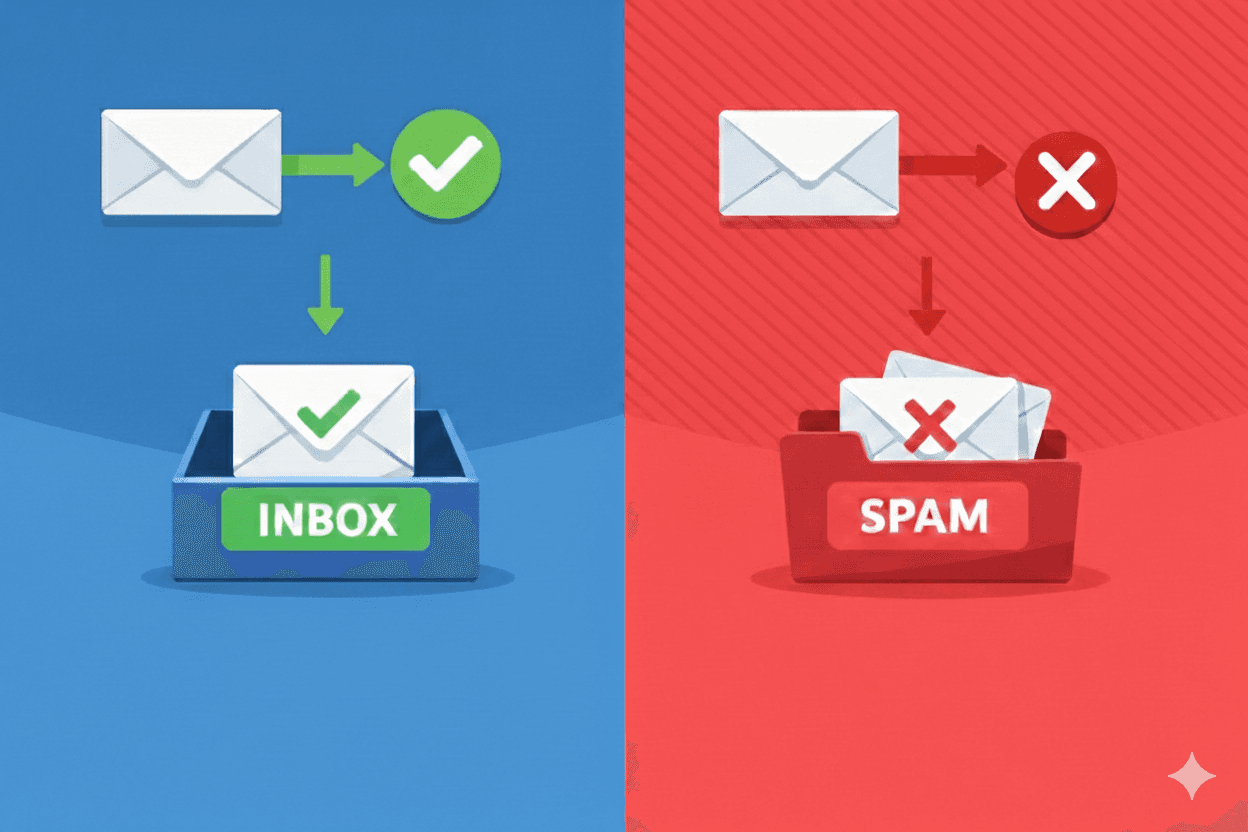
You’ve spent hours researching, designing, and polishing the perfect newsletter. You hit send, lean back, and wait for the results. Your hard work is finally out in the world! But unfortunately, it never made it to your subscribers' inboxes. It went straight to spam.
Getting stuck in spam isn't just annoying, it's a business killer. Over time, if enough of your emails land in spam folders, you're basically training email providers that your content isn't valuable. This tanks your sender reputation, which means even when you onboard brand new subscribers who actually want to hear from you, the chances of reaching their inbox drops significantly. If you're running a campaign with multiple emails that build on each other, just one going to spam can derail the entire sequence. And the hit to your open rates? Let's not even go there.
So we all agree that emails in spam suck. But what causes it, and more importantly, how do you fix it? That's exactly what this article covers. Let’s focus on the most common culprits and give you actionable solutions you can implement today.
Your Content Is Triggering Spam Filters
if your emails suck, people won't engage with them, simple as that. When fewer people open your emails, click links, or respond to your messages, and especially when they start mass unsubscribing or marking you as spam, email providers take notice. This tanks your sender score, which is basically your reputation as an email sender. Once that score drops, even your best content might end up in spam folders.
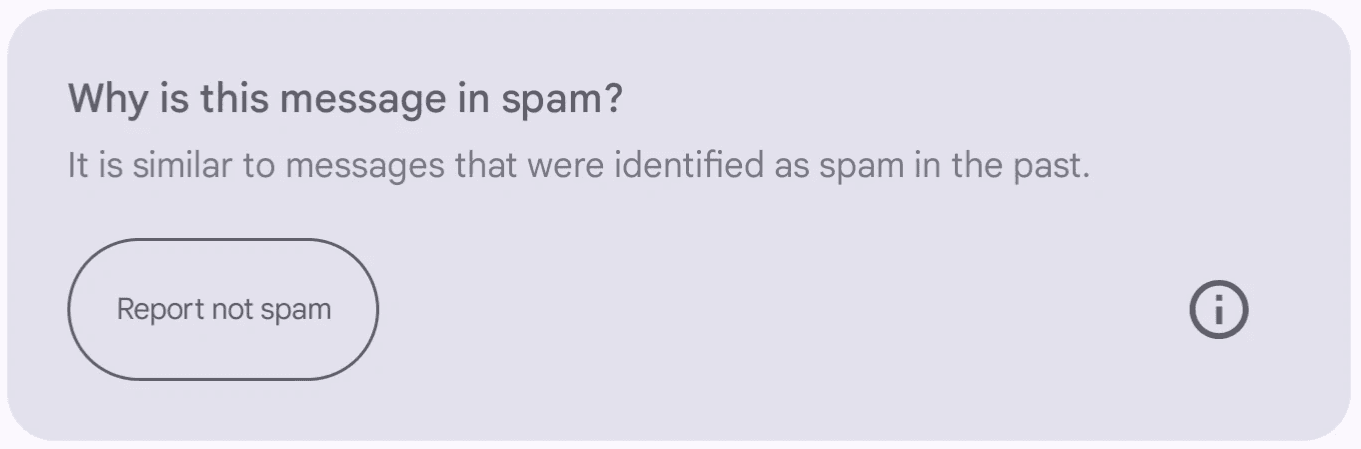
Gmail flagging an email as spam because of it's content
One of the biggest mistakes I see is image-heavy emails. Sending an entire email where everything is text embedded in an image is not the best approach. Email providers can't read image text, so they assume you're trying to hide something. Plus, if images don't load (which happens a lot on mobile or when people have images turned off by default), your email is completely useless to the recipient. You want a healthy balance, at least 60% text to 40% images is a good rule of thumb.
Then there are spam trigger words and phrases. Spam filters love singling out certain combinations, and some of them might surprise you. Things like "Free money," "Act now," "Limited time offer," "Click here now," "Congratulations, you've won," and "Make money fast" are almost guaranteed to raise red flags. Even seemingly innocent combinations like "Free shipping" or "Best price" can cause issues if you overuse them. The good news is that most email marketing platforms will flag these for you before you hit send. That said, it's always good to do your own extra research since the list constantly evolves.
And let's talk about emojis. A few emojis in your subject line is fine, it could increase the open rate in some cases. But when you start stacking five, six, seven emojis in one subject line, you've crossed into spam territory. Email providers flag this behavior because that's exactly what spammers do to grab attention.
Another subtle but important thing: your subject line needs to match your content. If your subject promises one thing and your email delivers something completely different, people might mark you as spam. Email providers notice these patterns and they will punish you for it.
So how do you fix this? Make sure your content is genuinely valuable, this sounds obvious, but it's the foundation. Every email you send should give your subscribers something useful, whether that's information, entertainment, or a genuine offer they care about. Balance your images with actual text content that email providers can parse and understand. Find alternative phrasing for spam trigger words. Instead of "Free," try "Complimentary" or "No cost." Instead of "Act now," try "Don't miss out." Use emojis sparingly, one or two can work, but five or more makes you look desperate. And before you send to your full list, test your emails using your platform's spam checker
Low-Quality or Disengaged Subscribers
Even if your content is rock solid, you'll always have subscribers who lose interest but never hit unsubscribe. They just stop opening your emails, and email providers notice this. A huge list full of inactive subscribers tells Gmail, Outlook, and others that people don't want your emails. Your engagement rate drops, and suddenly even your active subscribers might not see your messages.
This gets worse if you've bought email lists or added people who didn't explicitly opt in. These people are way more likely to ignore your emails or mark them as spam because they never asked to hear from you in the first place. I'm going to say this clearly: buying email lists is a terrible terrible idea, it's the email marketing equivalent of buying followers for social media pages, you will pay for it with more than just money. Because those people never asked to hear from you, your open rates will be abysmal, your spam complaints will be high, and you'll trash your sender reputation. Don't do it.
![Screenshot of Gmail's spam filter notification on a light grey background displaying the message 'Why is this message in spam? Lots of messages from [redacted sender domain] were identified as spam in the past,' with a 'Report not spam' button in the bottom left corner.](https://framerusercontent.com/images/pleTR4ot1zn5NjjAIFCaDYuj0ws.png)
Gmail flagging an email as spam because the sender domain has a history of spam complaints
The solution here is to clean your list regularly. Set a policy to remove subscribers who haven't engaged in 3-6 months. Yes, your list will get smaller, but your deliverability will improve dramatically. A smaller, engaged list is infinitely more valuable than a large, dead one.
Before removing inactive subscribers though, run a re-engagement campaign. Send them a "We miss you" email and give them one last chance to confirm they want to stay on your list. Something like: "Hey, we noticed you haven't opened our emails in a while. Still interested? Click here to stay subscribed. Otherwise, we'll remove you in 7 days." The people who respond are worth keeping. The rest should go, and honestly, you're doing both of you a favor.
You could also use double opt-in for new subscribers, specially if you suspect bots are signing up to your newsletter. When someone signs up for your list, send them a confirmation email to verify they actually want to subscribe. This extra step filters out fake emails, typos, and people who weren't really interested. Your list will be smaller, but way more engaged, and that's what actually matters.
You also want to monitor your engagement metrics closely. Keep an eye on your open rates, click rates, and unsubscribe rates. If you see sudden drops, investigate immediately. Something might be wrong with your content, your sending frequency, or your technical setup.
Your Technical Setup Is a Mess
Setting up an email newsletter from scratch involves a lot of moving parts. There's the content side, writing emails, designing templates, building your list, and then there's the technical side. The technical stuff often gets overlooked because it's less exciting and more confusing. But here's the truth: if your technical setup is wrong, even the best content won't reach inboxes.
One of the biggest mistakes is using a free email address to send newsletters. Sending from a Gmail, Yahoo, or Hotmail address is a huge red flag. It screams "amateur" or "spammer" to email providers. You need a custom domain email, something like hello@yourbusiness.com. This immediately makes you look more legitimate and professional.
But getting a custom domain is just the start. You also need to set up SPF, DKIM, and DMARC. These are authentication protocols that prove your emails are actually from you and haven't been tampered with. Without these, email providers don't trust you, and your emails are way more likely to land in spam. Here's what each one does: SPF (Sender Policy Framework) lists which mail servers are allowed to send email from your domain. DKIM (DomainKeys Identified Mail) adds a digital signature to your emails to verify they haven't been tampered with. DMARC (Domain-based Message Authentication, Reporting & Conformance) tells email providers what to do if an email fails SPF or DKIM checks.
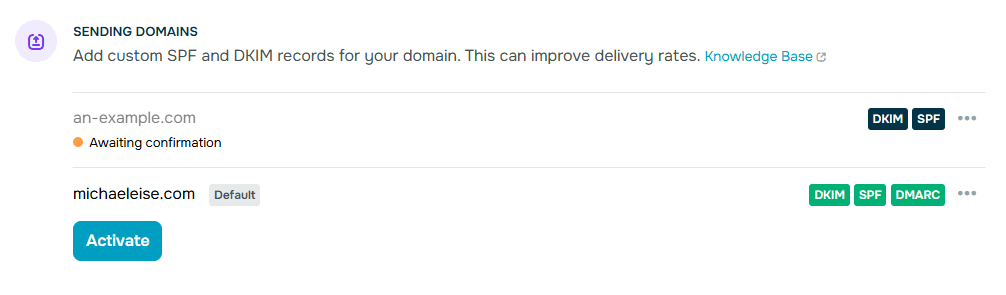
An unverified domain with incomplete authentication(top) vs. a fully verified domain with SPF,DKIM, & DMARC all setup (bottom)
Setting these up might sound intimidating if you're not technical, but most email marketing platforms have step-by-step guides that walk you through it. If you work in a larger organization, your IT team can handle this in minutes. If you're on your own, roll up your sleeves and dig into the tutorials, I actually had fun setting mine up. AI tools are also quite helpful for troubleshooting if you get stuck. And if you really don't have the time or capacity, consider hiring a freelancer to set it up for you, it will be worth it.
Another common mistake is using shared sending domains or the default domains from your email platform. Some people use these thinking they're better than a free domain, but they also hurt your reputation. Your emails get lumped in with everyone else using that platform, including spammers, which means their bad behavior affects your deliverability. Get your own custom domain and use it exclusively for your emails.
You also need to make sure your unsubscribe link works and is easy to find. If people can't easily unsubscribe, they'll mark you as spam instead, and that's way worse for you. Some platforms will also punish you dearly for not including one. Test your unsubscribe flow regularly to make sure it's functioning properly.
If you're sending from a brand new domain, you can't just blast 10,000 emails on day one. You need to warm up your domain by gradually building your sending reputation. Start by sending small batches to your most engaged subscribers. Gradually increase volume over 2-4 weeks. This builds trust with email providers and helps you avoid getting flagged as spam.
Hit Send With Confidence
Issues with email deliverability happen to everyone. I used to be shocked seeing big names land in my spam folder, until I understood how it all worked and realized it can happen to anybody, big or small. It isn't something you can fix once and forget about forever either. It requires ongoing attention and adjustment. The three areas we covered (content quality, subscriber engagement, and technical setup) are all interconnected, so fixing just one won't solve the problem. You need to address all three simultaneously to see real improvement.
This article isn't an exhaustive list either. There are other factors that can affect your deliverability, like sending frequency and individual email provider quirks. But if you nail these three fundamentals, you'll be miles ahead of most email marketers who are still wondering why no one is reading their carefully crafted newsletters.
The key is to always monitor closely. Check your deliverability metrics regularly and keep up with best practices. Your email marketing goals are absolutely achievable, but only if your emails actually reach your subscribers. So make sure they do.